




Emti

Emti

Field and meadow on a summer day
58,4 GB Library
Stats ›
4,1 MBSep 2025
Autumn path through a park
58,4 GB Library
Stats ›
3,2 MBOkt 2025
Snow-covered pine trees
58,4 GB Library
Stats ›
2,8 MBDez 2024
Pond in a park on an overcast day
58,4 GB Library
Stats ›
3,6 MBJan 2025
Flower garden at sunset
58,4 GB Library
Stats ›
3,1 MBJun 2025
Clear out your photo library, one photo at a time.

Emti is a photo cleanup app for iPhone. It measures what your library takes up, sorts by file size and lets you decide photo by photo. Nothing is uploaded.

Download for iPhone Swiping is free, always. No account, no upload.
Clear out your photo library, one photo at a time.

Emti is a photo cleanup app for iPhone. It measures what your library takes up and lets you decide photo by photo. Nothing is uploaded.

Download for iPhone

Swipe

Emti photo card
58,4 GB Library
Stats ›
2,9 MBJul 2025
Emti photo card
58,4 GB Library
Stats ›
3,2 MBOkt 2025
Emti photo card
58,4 GB Library
Stats ›
4,1 MBSep 2025
One photo at a time. Keep or delete.

Swipe right to keep, left to mark for deletion. A running total shows how much you free up, and nothing is removed until you confirm.

58,42 GB
iPhone · 128 GB121,6 GB used
26,8 GB you probably don't need
Where your library goes
Videos 1.214
31,2 GB
Photos 9.803
24,7 GB
Screenshots 2.318
2,5 GB
What could go
26,8 GBprobably unneeded
86duplicate groups
2.318screenshots
What your library actually takes up.

Emti measures every video exactly and calibrates the photo estimate against sampled measurements. The figure is your photo library, not your device storage, and it drops as you delete.

What your library actually takes up.

Emti measures every video exactly and calibrates the photo estimate. The figure is your photo library, not your device storage.

Duplicates

Look-alike shots, grouped.

A 256-bit fingerprint compares every photo on the device and groups near-identical shots. One per group is pre-selected to keep; you change that where you want to.
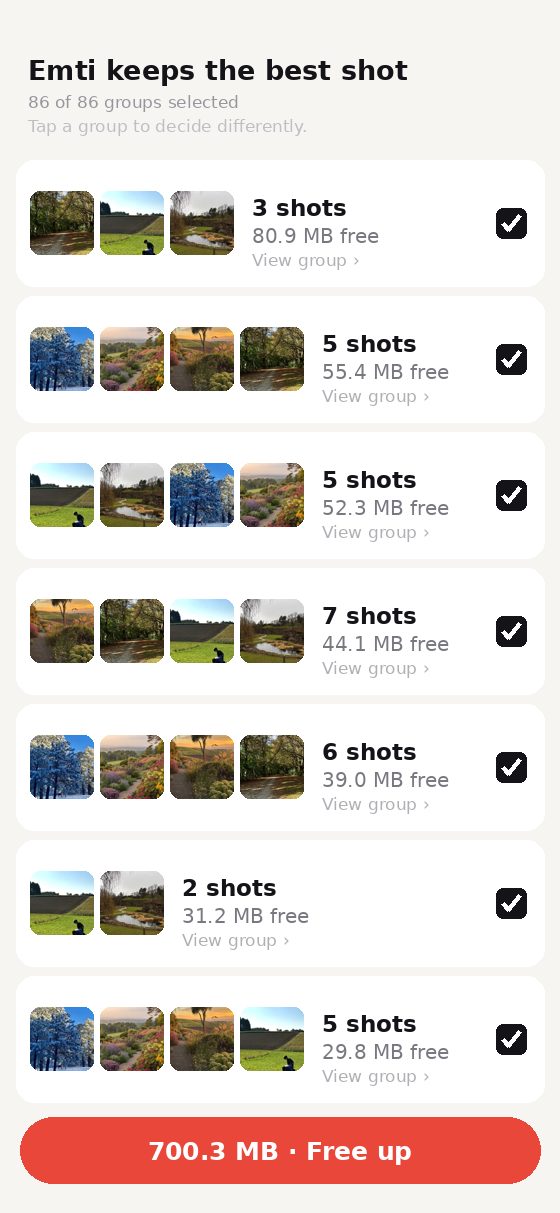
Emti duplicate groups list with 86 look-alike photo groups
Archive

Month by month, in order.

Your library is split into months. Finish one and it is marked as done. The next time you open Emti, it continues where you stopped.
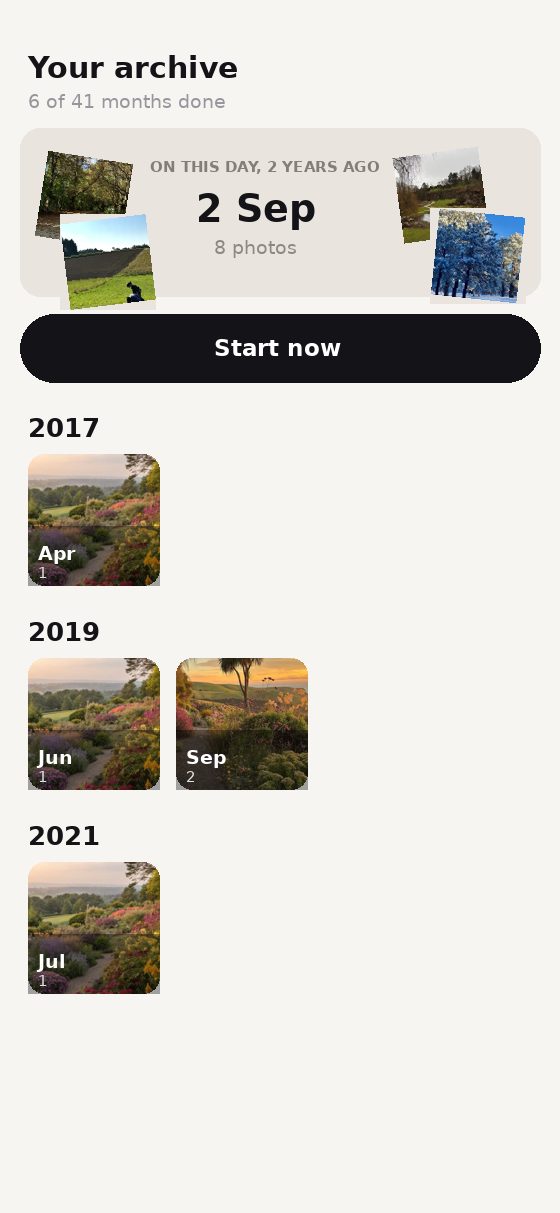
Emti archive view with photos grouped by month and year
Private

Nothing leaves your device.

No upload, no server, no account. Emti reads your library through Apple's photo framework and works entirely on the device, including in airplane mode.
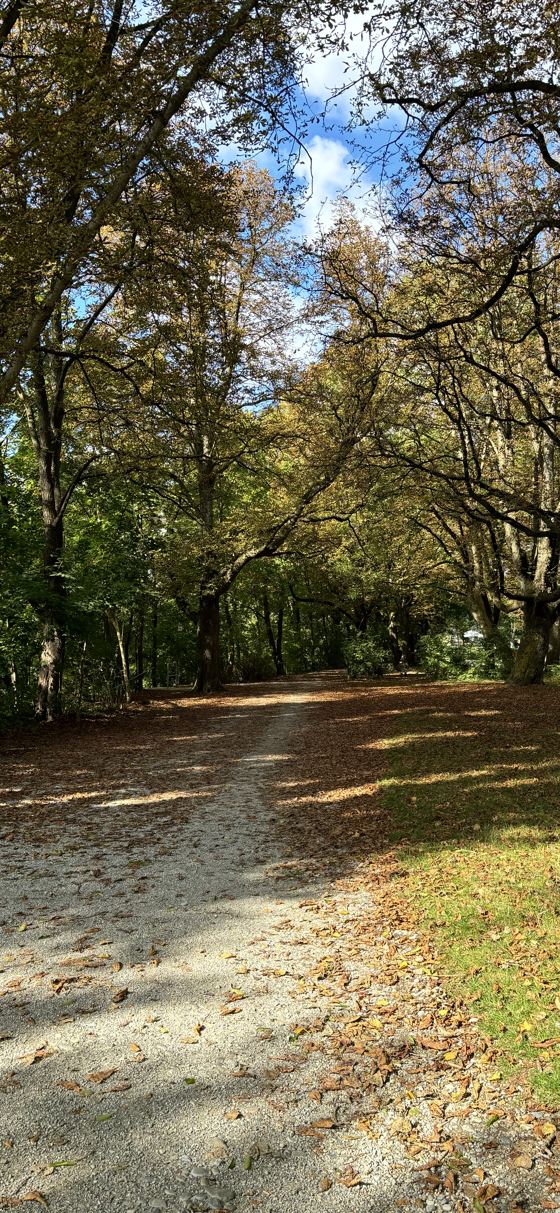
Autumn path through a park
58,4 GB Library
Stats ›
3,2 MBOkt 2025
Memories

Photos from this day in earlier years.

Emti shows shots taken on today's date in previous years. Swipe it away and it stays available for later.
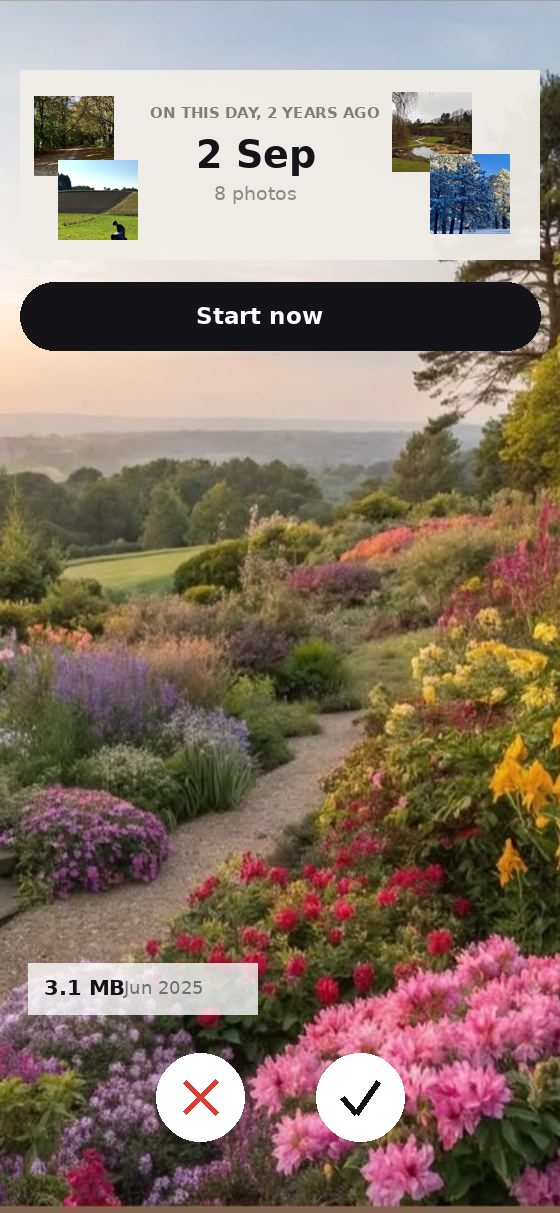
Emti memory card showing photos from this day two years ago

What the Photos app does not do.

Both are on your iPhone. Only one is built for deciding what to keep.

PhotosEmti
Decide photo by photo in a single view
Sort by file size
Shows how much you free before deleting
Groups look-alike shots, not just exact copies
Remembers where you stopped
Confirms before deleting
Works without an account or upload

Deleted items go to "Recently Deleted" for 30 days, as always.

Questions before you install.

Does Emti delete my photos permanently?

No. Emti moves items to the "Recently Deleted" album in Apple's Photos app, where they stay for 30 days before iOS removes them. Nothing is deleted without a confirmation step, and you can restore anything from that album in the meantime.

Can Emti see or upload my photos?

No. Emti reads your library through Apple's photo framework and processes everything on the device. There is no server to send photos to, no account and no analytics. The app works with airplane mode switched on.

What does it cost?

Swiping through your library is free and unlimited. Your first cleanup is free as well. After that, a one-off purchase or a subscription unlocks further deletions. Payment runs through the App Store; there is no separate account.

Will deleting photos free up space on my iPhone?

It depends on your setup. If "Optimise iPhone Storage" is on, your originals sit in iCloud and only previews are on the device, so deleting frees iCloud quota rather than device storage. If your originals are stored locally, device storage is freed directly. Emti shows the size of your library either way, not the fill level of your phone.

Does Emti decide what to delete on its own?

No. Emti sorts, groups and pre-selects, but every deletion is your decision. In duplicate groups one shot is pre-selected to keep and you can change that selection. Nothing is removed until you confirm the list.

Built for short sessions.

Emti saves your position, so ten minutes at a time is enough.

Download for iPhone Swiping is free, always · Your first cleanup is free · No account